How to Check If Your Logo Is Truly a Vector File
Many businesses believe they have a vector logo simply because the file ends in “.EPS” or “.PDF”. Unfortunately, this is one of the most common causes of print delays and rejected artwork. Understanding whether your logo is genuinely vector — or just a raster image saved inside a vector container — is critical for professional use.
👉 Internal link: Graphic Files Explained – Vector vs Raster
What Is a True Vector File?
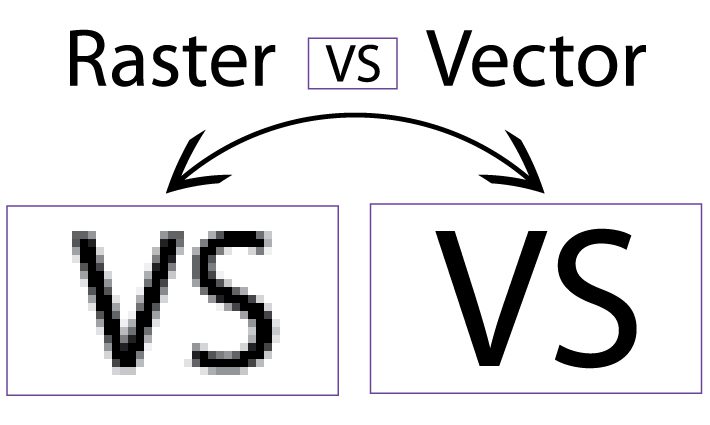
A true vector file is created using mathematical paths, not pixels. These paths define shapes, curves, and lines using anchor points, allowing the artwork to scale infinitely without any loss of quality.
Unlike raster images, which rely on a fixed grid of pixels, vector files remain sharp whether printed on a business card or a billboard. Common true vector formats include AI (Adobe Illustrator), EPS, SVG, and vector-based PDF files.
It’s important to note that simply saving a JPEG or PNG as an EPS does not make it vector. The underlying structure must be built from editable paths.
👉 Internal link: What is vector Conversion Services?
Common Signs Your Logo Is NOT Vector
Many logos fail basic vector checks without the owner realising it. Some common warning signs include:
The logo becomes blurry or pixelated when zoomed in
You cannot select individual letters or shapes
The file only opens as a flat image
Colours appear fuzzy at the edges
A frequent issue is a raster logo embedded inside a PDF or EPS file. While the file extension looks correct, the artwork itself is still pixel-based.
👉 Internal link: What does vector mean in Photoshop?
How to Check Your Logo Yourself (Step-by-Step)
If you have access to vector software such as Adobe Illustrator, you can perform a quick check:
Open the file in Illustrator
Zoom in to at least 800–1600%
Click on letters or shapes
Look for visible anchor points and editable paths
If everything selects as one flat image, the logo is not vector. A genuine vector logo allows independent selection and editing of every element.
👉 Internal link: What programs can Open and Edit EPS Vector Files
Why Printers Insist on Vector Files
Printers rely on vector files because they ensure:
Perfect edge clarity at any size
Accurate colour separation
Reliable output across different machines
Raster logos often break down during large-scale printing, embroidery, or signage production — leading to poor results and rework costs.
👉 Internal link: Who uses Raster to Vector Conversion Services in Australia
When Professional Vector Conversion Is the Best Option
While auto-trace and AI tools exist, they frequently produce messy paths and inaccurate shapes. Professional vector conversion ensures clean geometry, correct typography, and long-term usability.
👉 Internal link: Why AI Isn’t Always Best for Vector Images – Ask Vectorman for Help!